Home / How it works
How AI social media automation works, stage by stage
Most tools call themselves “AI social media” and mean a caption generator with a calendar bolted on. EaseMyPost runs the whole job a social media manager would do — it studies your brand, studies your competition, plans the week around what is actually happening in your market, writes and builds each post, waits for you to approve it on WhatsApp, publishes it, and then handles the comments and DMs that come back. This page is the long version, stage by stage.
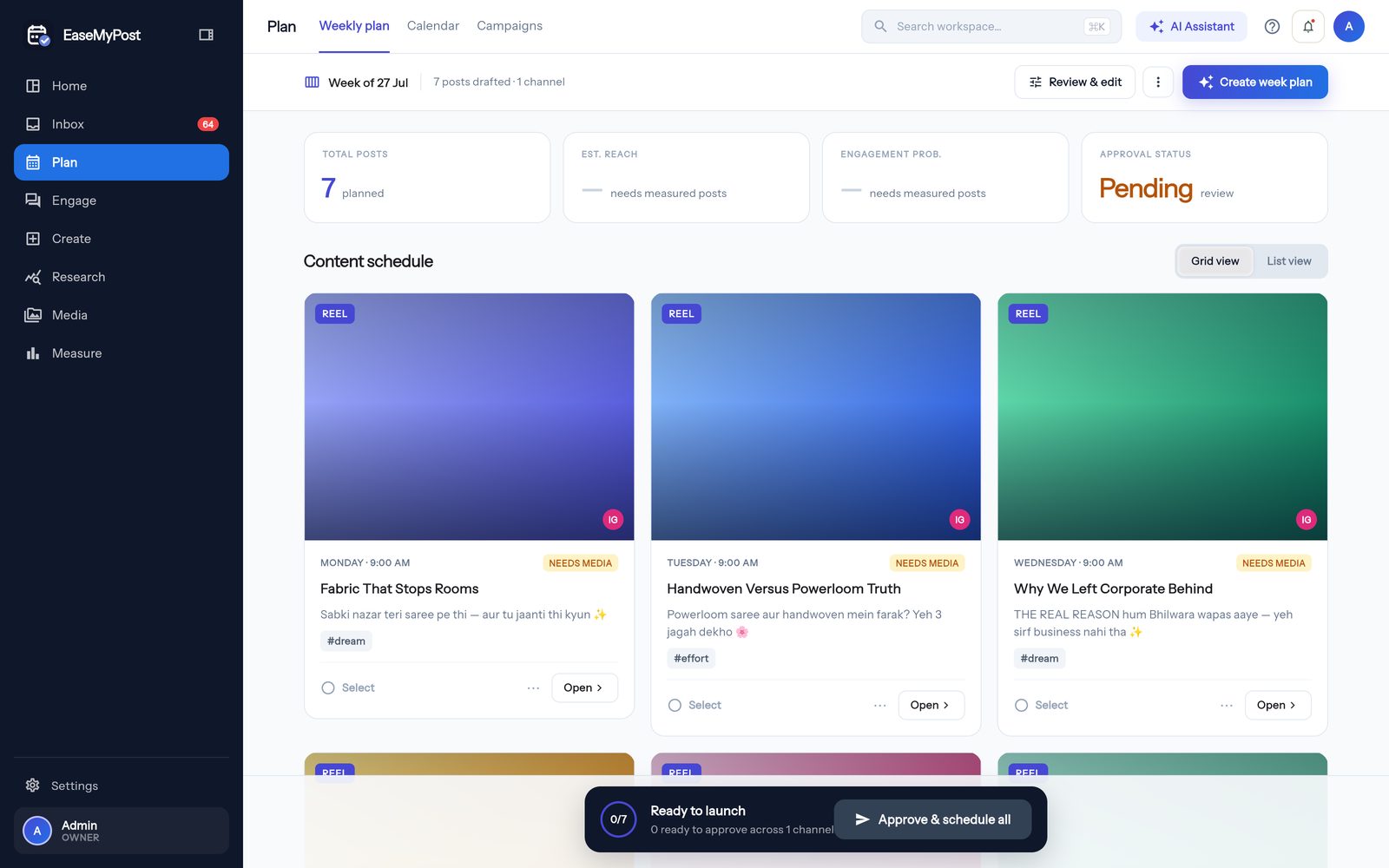
The one rule underneath all of it: the AI drafts, a human approves. There is no unattended posting mode. Nothing is even built until you say yes to the idea.
The pipeline, end to end
- 01
EaseMyPost · once, at setup
Connect your accounts
You sign in with Facebook and pick the Page your Instagram is linked to. That single connection covers Instagram and Facebook; YouTube connects separately through Google, and Threads isn't open for customers to connect yet. We ask only for what the product needs — read your posts and insights, publish on your behalf, read and reply to comments and messages.
You can disconnect any account at any time, and revoking access from Facebook or Google stops us immediately — there is no second copy of your login anywhere.
- 02
EaseMyPost · takes a few minutes
Brand analysis — it reads your page before it writes a word
This is the spine of everything below it. The AI pulls your recent posts and looks at the images and reel covers themselves, not just the captions — the colours you shoot in, whether your frames are styled or candid, whether you put text on your images, how your product is lit. It reads your bio, your website if you have one, and the way your existing captions talk.
Out of that it writes a brand profile you can read and correct in plain English: who you are, who you are talking to, the tone you use, your content pillars, your colours and fonts. Every stage after this one is fed from that profile, which is why we make you check it first. A wrong brand profile quietly poisons every post below it.
What it reads
- Your last posts — captions and imagery
- Bio, links, website
- Which formats you already get engagement on
- Your own photo library, if you connect Drive
What it produces
- Brand profile: voice, audience, pillars
- Brand kit: colours, fonts, logo placement
- Audience personas
- A written brand guide you can edit
- 03
You · five minutes, once
Hard restrictions — the things it may never say
The AI proposes a list of limits based on what you sell, and you lock it. No prices unless you supply them. No medical or results claims. No discount that you have not authorised. No competitor names. No festival greeting for a festival your customers do not keep.
These are not prompt suggestions — they are checked on the way out, and a draft that breaks one gets rewritten instead of reaching you.
- 04
EaseMyPost · ongoing
Competitor analysis — and it studies the reels, not the follower count
The AI suggests real accounts in your niche and city; you add, remove or paste in the ones you already watch. Then it goes through their recent posts one at a time and writes up what actually made each one work: the hook in the first two seconds, the shot pattern, the text treatment, the format, how the engagement landed relative to their own average.
What you get back is not a follower-count dashboard. It is a read on where they are strong, where they are repeating themselves, and what nobody in your niche is posting — the gap your week gets planned into.
Per competitor
- Positioning read — what they stand for
- Their working formats and posting rhythm
- Per-reel teardown: hook, why it worked, visual style
For your plan
- White space — angles nobody is covering
- Proven hooks worth adapting, never copying
- A niche benchmark for what “good” looks like
- 05
EaseMyPost · every week, before you are up
The weekly plan — where most of the thinking happens
This is the stage people underestimate. A week of posts is not seven captions; it is a decision about what this particular week should be doing for your business. The planner weighs all of the following before it writes a single idea:
Signal What it changes Festivals and observances Looks about five weeks ahead, not one — gifting content needs lead time. Region-aware: it knows the difference between a national festival and one kept in your state. What is trending right now Live trends from the last 48 hours, filtered to ones your brand can plausibly touch. Trends decay fast, so they are treated as advisory, never as the whole plan. Season and buying timing Wedding season, exam season, monsoon, salary week, end of month. What people are shopping for right now, not in general. Your own past performance Measured per reach, not raw likes — a post seen by 400 people that got 60 saves beats one seen by 4,000 that got 80. Competitor white space The gaps from stage 04. Format mix and cadence How many reels, carousels, photos and stories, at what rhythm — balanced so the week is not five of the same thing. Coverage of your pillars A check that the week actually covers what your business sells, not just the fun content. The output is a plan you can read: each day gets an idea, a format, an angle and a reason it is there. You can rewrite the whole week in plain language — “less product, more behind the scenes, and push the Diwali stuff a week later” — and it replans.
- 06
EaseMyPost
The script
Each idea becomes an actual script: the hook, what happens in the middle, the line that closes it, the caption, the hashtags. Written against your brand voice from stage 02 and the hook patterns that are proven to work in your niche — not a generic “5 tips” template.
- 07
EaseMyPost
The storyboard
Before anything renders, the video gets planned shot by shot: which frame goes where, how long each beat holds, where the text lands, where the music hits. For a carousel it is the slide order and what each slide has to say. This is why the output looks composed instead of like photos on a timer.
If a shot needs a photo you do not have, you get told at this stage — as a short shoot brief you can hand to whoever holds the phone — instead of getting a post with a stock image dropped into the hole.
- 08
You · on WhatsApp, in ten seconds
Approval — and this comes before the work, not after
The idea lands on your WhatsApp: what it is, the angle, the caption. Three options — Approve, Edit, Skip. Edit is a plain reply: “make it shorter and mention we open at 10”. It rewrites and comes back.
We deliberately ask you to approve the idea before the reel exists. It means you are never reviewing a finished video you have to reject, and it means the expensive part of the pipeline never runs on a post you did not want. You can still edit or pull it after it is built, right up to the scheduled time.
If WhatsApp is not where you want this, the same queue is in the dashboard.
- 09
EaseMyPost · only after approval
Building the post
Now it renders. Reels, carousels and image posts are built from a library of designed templates, filled with your photos first — the ones from your page and your connected drive — in your brand colours and fonts. Music is licensed. Captions are burned in where the format calls for it.
If a render fails, the post is marked failed and you are told. It does not quietly publish a stock photo in place of the thing you approved.
- 10
EaseMyPost
Scheduling and publishing
Each post goes out at the time chosen for it — from your own audience's activity where there is enough history to be honest about it, and from sane defaults for your category where there is not. Instagram, Facebook or YouTube.
- 11
EaseMyPost · within seconds
Comments and DMs
A post that gets replies and does not get answered dies. Comments and DMs are answered in your voice, in the language the customer wrote in, within seconds — and the DM side remembers the conversation, so a customer does not get re-introduced to your business on every message.
Anything that needs a real answer — a price, stock, a complaint, a booking — is handed straight to you instead of being guessed at.
- 12
EaseMyPost · weekly
The Monday summary — and it loops back to stage 05
One message a week: what went out, what worked, what did not, and what next week is going to do differently because of it. That last part is the point — the retro is an input to the next weekly plan, so the system gets more like your business the longer it runs.
What this is not
Being clear about the edges is part of the pitch:
- It is not autopilot. Nothing publishes without your approval, and we do not plan to add an unattended mode. If that is what you want, this is the wrong product.
- It does not invent facts. No prices, offers, awards, reviews or claims you have not given it.
- It does not replace a shoot. It works with the photos and video you have and tells you what to shoot next. It will not fake a product you have not photographed.
- It is not a follower-growth guarantee. Consistent, on-brand posting plus fast replies is what it gives you. Anyone promising a number is guessing.
Common questions about the pipeline
Do I have to go through all twelve stages?
No. Stages 01 to 04 are setup and happen once, with you checking the output. After that the weekly loop is stages 05 to 12, and your part of it is tapping Approve.
How long does setup take?
Connecting accounts is a couple of minutes. The brand and competitor analysis runs on its own and you review the result. Most businesses are approving their first week the same day.
Can I skip the competitor part?
Yes, and the planner still works — it just loses the white-space signal and leans harder on your own performance and the calendar.
What if I do not like the week it planned?
Tell it what to change in plain language and it replans. You are not editing a calendar grid cell by cell.
Want it running on your page?
We onboard a few businesses at a time and set it up with you.